
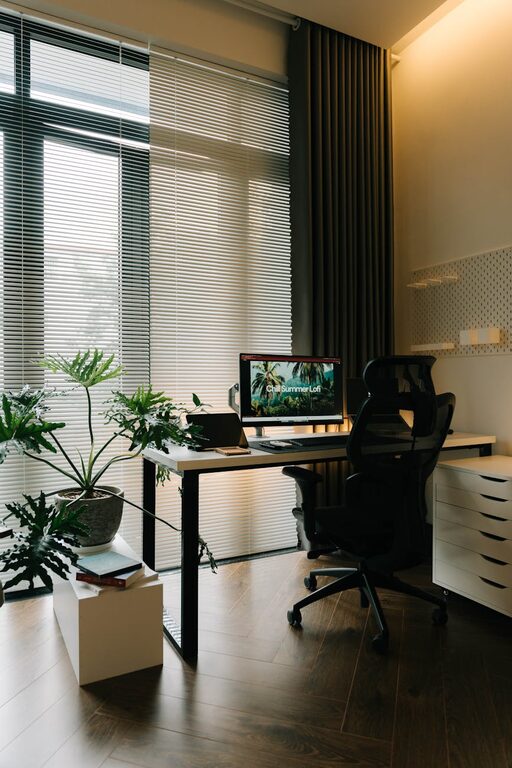
Creating a relaxing home workspace is essential for anyone working remotely or spending long hours at a desk. A well-designed environment can boost your productivity, reduce stress, and make work more enjoyable. This guide offers practical tips to help you craft a comfortable, calming workspace right in your home.
Why a Relaxing Workspace Matters
Your workspace directly affects how you feel and perform. An organized, soothing environment minimizes distractions and fosters focus. By paying attention to factors like lighting, furniture, and ambiance, you can improve your overall work experience and efficiency.
Choosing the Right Location
Find a Quiet Spot
Select a part of your home where you can focus without frequent interruptions. If possible, choose a room or corner away from heavy foot traffic and noisy appliances.
Consider Natural Light
Natural light improves mood and energy levels. Position your desk near a window, but avoid direct glare on your screen. If natural light is limited, invest in good-quality daylight-mimicking bulbs.
Ergonomic Furniture and Layout
Comfortable Chair
Invest in an ergonomic chair that supports your posture. Adjustable height, lumbar support, and breathable materials keep you comfortable during long sitting periods.
Desk Height and Space
Ensure your desk is at a height that allows your arms to rest comfortably while typing. Keep your workspace clutter-free with enough room for your computer, notebooks, and other essentials.
Monitor Placement
Place your monitor at eye level and about an arm’s length away. This helps reduce neck strain and eye fatigue.
Lighting That Supports Focus
Layered Lighting
Combine ambient lighting with task lighting to reduce eye strain. A desk lamp with adjustable brightness can help focus light exactly where you need it.
Avoid Harsh Fluorescent Lights
Opt for warm or neutral light to create a cozy atmosphere. Using dimmable lights allows you to adapt lighting to different times of day.
Organizing Your Space
Declutter Regularly
Keep only necessary items on your desk and store the rest away. A tidy area helps clear your mind and maintain concentration.
Use Storage Solutions
Drawer organizers, shelves, or bins can keep documents and supplies organized. This reduces time spent searching for items.
Cable Management
Use clips or cable ties to manage wires. This simple step prevents tangling and keeps your desk looking neat.
Adding Personal Comfort and Style
Incorporate Plants
Indoor plants improve air quality and add a touch of nature, which can reduce stress and increase productivity.
Choose Calm Colors
Soft, muted colors like blues, greens, and neutrals foster relaxation and focus. Use these tones for walls, accessories, or desk items.
Include Personal Touches
Photos, artwork, or meaningful objects can create a welcoming vibe. Just make sure not to overcrowd your space with distractions.
Technology Tips
Invest in Quality Equipment
A reliable computer, keyboard, mouse, and headset improve comfort and efficiency. Consider wireless devices to reduce clutter.
Use Noise-Canceling Headphones
If your environment is noisy, headphones can help block distractions and enhance concentration.
Schedule Regular Breaks
Use timers or apps to remind you to stand up, stretch, or take short walks. Staying active prevents fatigue and keeps your mind fresh.
Maintaining Work-Life Balance
Define Your Workspace Boundaries
Limit work activities to your designated area to separate professional time from personal life.
End-of-Day Routine
Take a few minutes to tidy your workspace at the end of each day. This habit signals the transition from work to relaxation and prepares you for the next day.
Conclusion
Creating a relaxing home workspace doesn’t require a complete overhaul. Small adjustments like improving lighting, organizing your desk, and adding personal comforts can make a big difference. Use these tips to design a space that supports your productivity and well-being, making work from home a more enjoyable experience.